Use the process on this page to deep link CPM content in your LMS.
IMPORTANT: Before you start these steps, the CPM Tool must be enabled for your LMS.
Open a browser and log into your LMS if not already logged in. If needed, start by creating the course.
Deep Linking to CPM in a Course
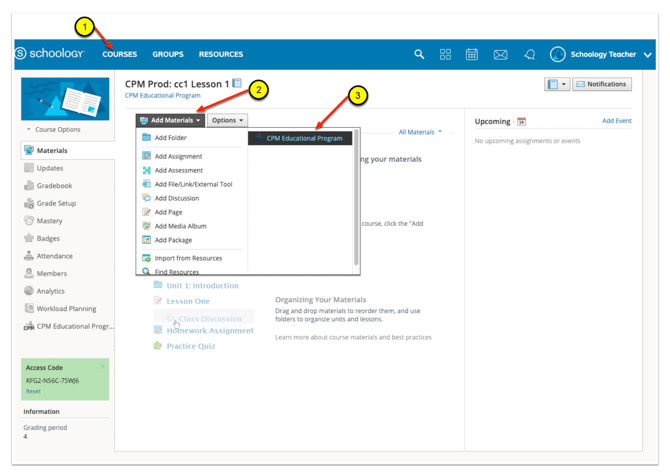
- In the desired course, select the placement for the lesson link from the Courses Menu. For this example Materials was chosen.
- Select the Add Materials dropdown.
- Choose CPM Educational Program.
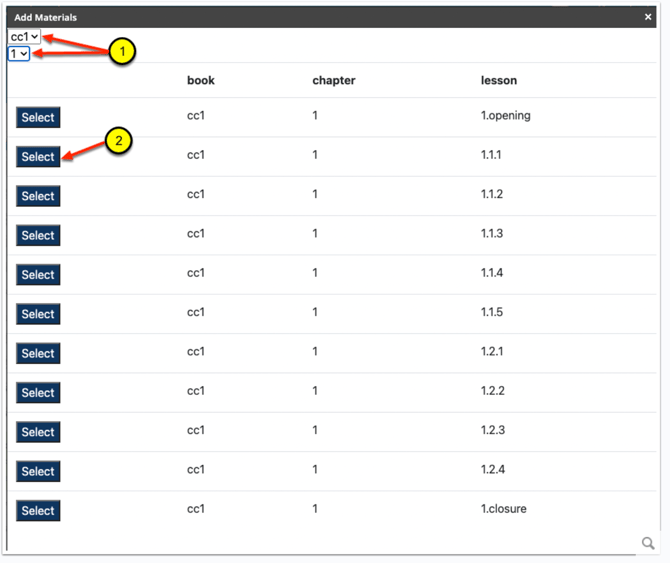
- Using the dropdown menus, select the book and chapter.
- Then choose "Select" on the lesson.
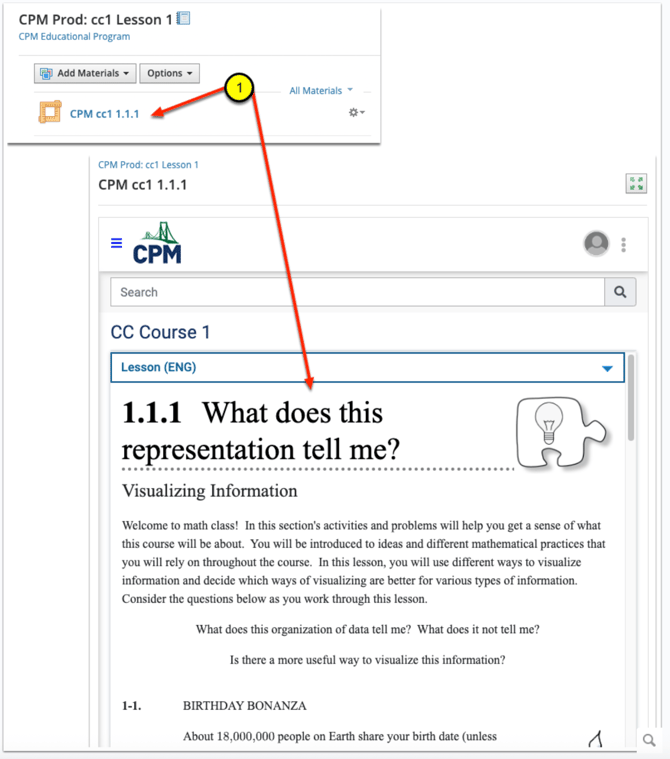
A link to the CPM eBook lesson is now included in the materials for the Schoology course.
- Select the new material lesson link to view the lesson in your CPM eBook.