CPM's Dynamic Registration Link for a LMS
This article provide instruction for eBook Admins to integrate CPM with a LMS. CPM provides a dynamic registration URL to streamline the process.
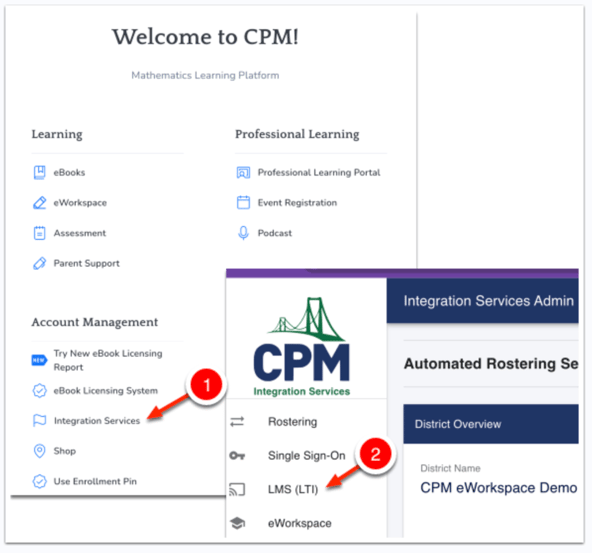
- Start by logging into my.cpm.org and then selecting Integration Services from the Account Management section of the page.
- Select LMS (LTI) from the side menu.
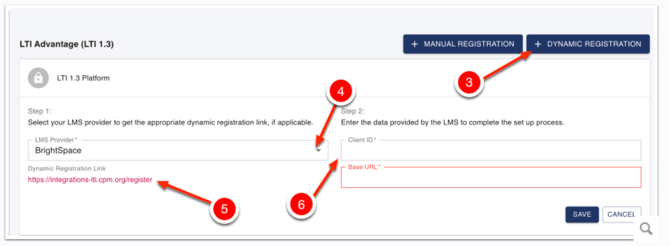
- Select Dynamic Registration.
- Select a LMS.
- Copy the Dynamic Registration Link to your clipboard to use in provisioning a tool in your LMS.
- See the instructions for your LMS to create a CPM tool. Retrieve the Client ID and Base URL from your LMS to complete the process in CPM's Integration Services.