This article is for rostered districts using Single Sign-on with Google to access eBooks. As a rostered district, teacher and student CPM accounts have been created and eBooks assigned through the automated roster process.
1. CPM Mathematics Learning Platform
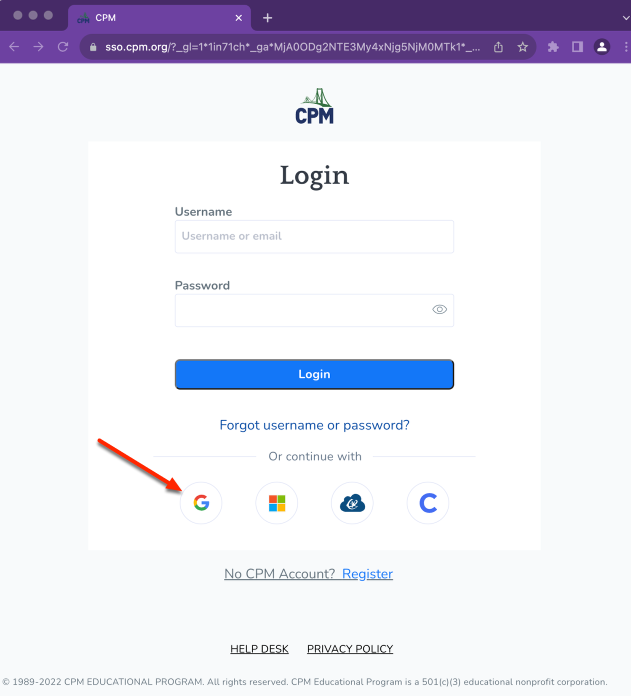
- Go to https://my.cpm.org and select Login.
- Select the Google button to sign in with Google.
- Once you login, you will see all your available links on the platform.
2. Accessing eBooks
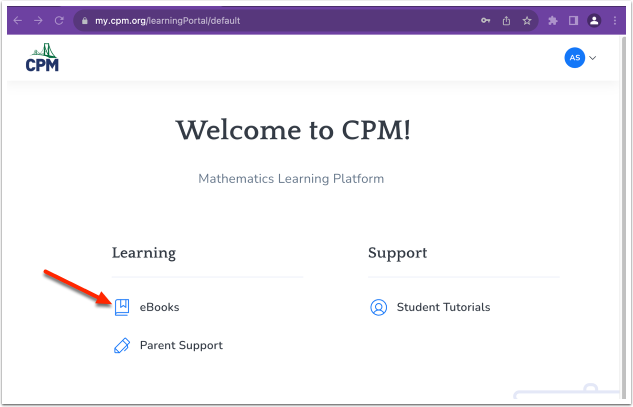
- Select eBooks.
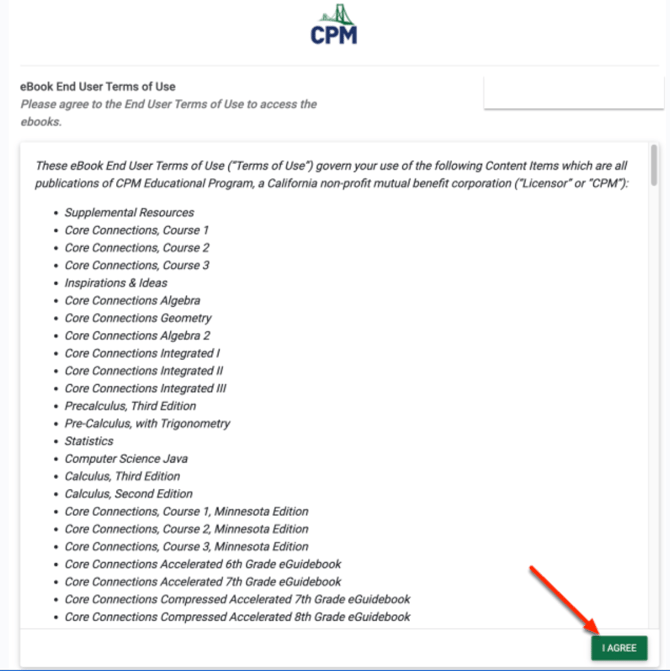
- Read the eBook End User Terms of Use.
- Select I agree.
- On the eBook landing page select the cover of your ebook.